
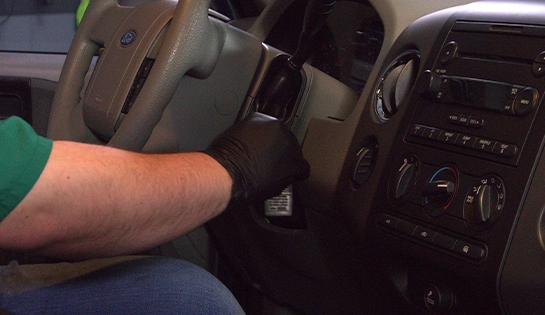
Step 1: Turn the Key to the ON Position
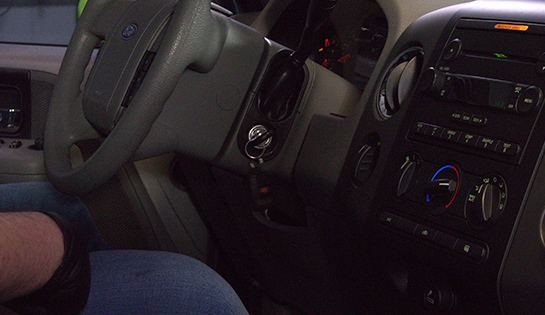
Step 2: Access the Setup Menu & Oil Percentage
Step 3: Reset the Oil Life Percentage
|
Tip: If you hold the button down too long during the final step and the oil life percentage begins to drop below 100%, continue holding the button down until it cycles back to 100%. |
Is the oil life indicator the same as the oil pressure warning light?
No, these two indicators indicate completely different things. The oil life indicator is a digital tracker telling you when your F-150 is due for a routine oil change. The oil pressure light (the red oil can symbol) is a warning that your truck’s engine has lost oil pressure.
While you can continue driving if your oil life indicator has turned on, if the red oil pressure warning light triggers or your dashboard gauge drops to zero, you should pull over and shut off the truck immediately to prevent engine damage.
What happens if I forget to reset the oil life indicator?
If you don’t reset the indicator after an oil change, the truck’s computer will continue tracking mileage from your previous oil maintenance cycle. This will trigger a premature or inaccurate “change oil” warning on your dashboard, making it difficult to track when your vehicle is due for the next oil change.
What if my Ford F-150 has three dashboard buttons instead of one?
Higher trim levels of this generation feature a three-button message center (INFO, SETUP, RESET) on the dashboard rather than a single stem on the speedometer cluster.
If your truck has this configuration, press the SETUP button repeatedly until the screen displays OIL LIFE = XX% HOLD RESET = NEW. Once you see that message, press and hold the RESET button for two seconds to clear it and restore the oil life to 100%.
The automotive repair work depicted in this series is performed under the direction of the manufacturer of the product featured. Prior to undertaking any of the demonstrated repairs on your vehicle, we suggest you consult with a certified mechanic or another professional who can adequately advise you of the proper repair or remedy required. O’Reilly Automotive Stores, Inc. and its affiliates (“O’Reilly”) disclaims any responsibility for injury or damage resulting from a viewer’s attempt to recreate the repairs shown in this series.