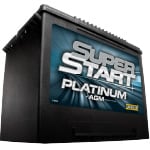
 Car Battery
 Battery Terminal Protection Kit
 Ratchet & Socket Set
 Torque Wrench
 Safety Glasses
 Gloves
 Shop Towels
Park on a level surface, set the parking brake, and open the hood. Wear safety glasses and gloves before reaching into the engine bay.
A battery rarely fails at a convenient time, so it is best to treat early warning signs as a symptom rather than waiting for a complete breakdown. Our Professional Parts People find that these are the most common signs of a weak battery:
- Slow Engine Cranking: Your truck takes a few extra seconds to start up, especially on cold mornings.
- Rapid Clicking: You hear a fast clicking noise when you turn the key, but the engine will not turn over.
- Visible Corrosion: You see white or blue powdery residue building up on the battery terminals.
- Dimming Lights: Your headlights or interior lights look weak when the engine is not running.
If you’re unsure if your battery is the culprit, stop by a nearby O’Reilly Auto Parts store for Free Battery Testing. Our parts professionals will test your battery—on or off the truck—to help you identify if it is time for a new battery or if your charging system needs attention.
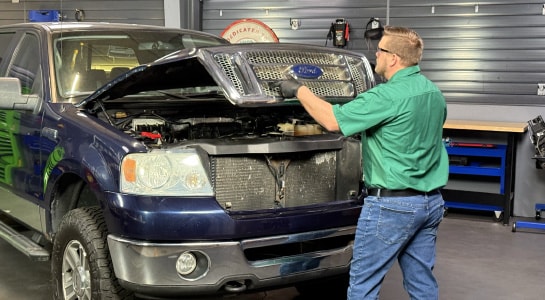
Step 1: Prep Your Workspace
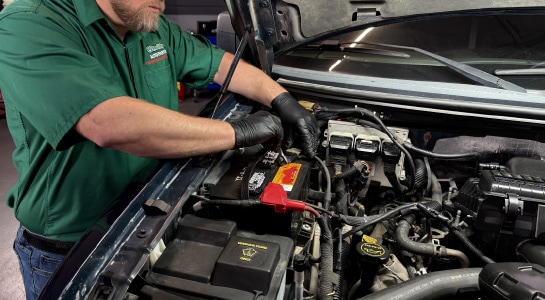
Step 2: Disconnect the Negative Cable
Use an 8mm deep socket, ratcheting wrench, or end wrench to loosen the negative (black) battery cable. Detach the cable and move it to the side so it doesn’t accidentally touch the post.
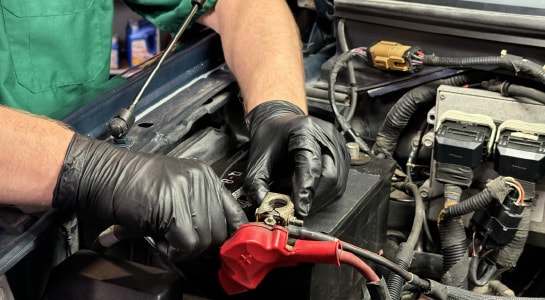
Step 3: Remove the Positive Cable and Battery Cover
Pop the red cover off the positive terminal and detach that cable as well. If your truck has a plastic cover over the battery, lift it straight up and set it aside.
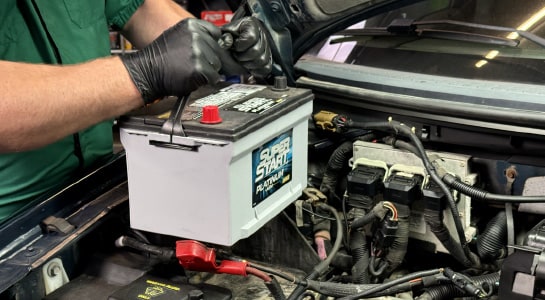
Step 4: Loosen the Battery Hold-Down
Use a ratchet with a 6-inch extension and 8mm socket to remove the bolt and the hold-down bracket at the base of the battery. You can now lift the old battery out of the engine bay.
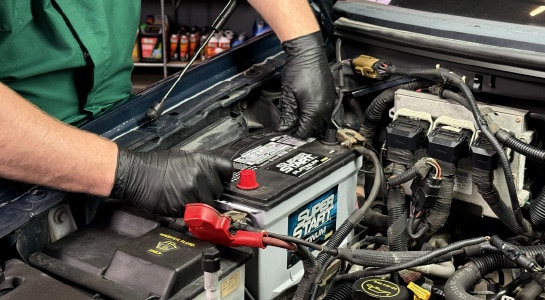
Step 5: Install the New Battery
Set the new battery into the tray. Slide it toward the front of the truck so the lip on the bottom of the battery case is tucked under the ridge on the tray.
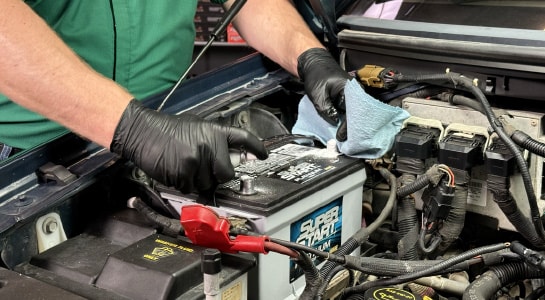
Step 6: Clean and Protect the New Posts
Use battery terminal cleaner and a shop towel or battery brush to remove any protective coating from the battery posts. Place your new terminal protectors over the posts to help prevent future corrosion.
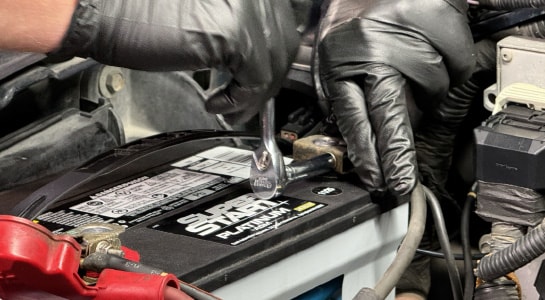
Step 7: Secure the Hold-Down and Reconnect the Cables
Reinstall the hold-down bracket and tighten the bolt with your 8mm socket. Reattach the positive (red) cable first, then the negative (black). Tighten them securely with your 8mm deep socket.
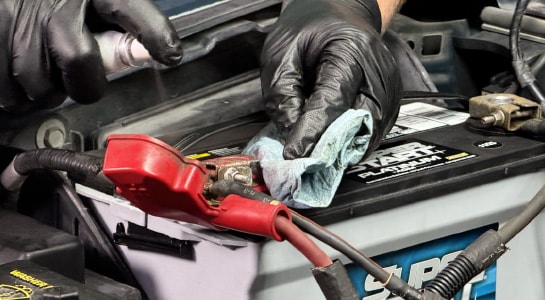
Step 8: Apply Terminal Protector Spray
Shake the terminal protector spray well. Spray the battery tray, hold-down, cables, and posts from 10-12 inches away. Wipe off any overspray from the battery case with a shop towel or rag.
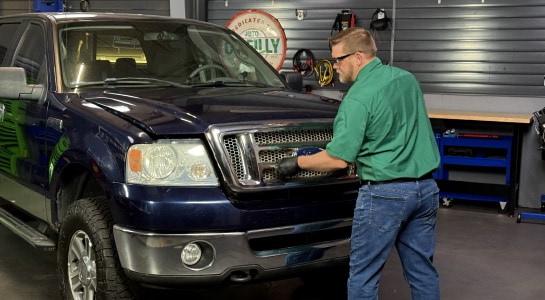
Step 9: Test the Battery and Charging System
Once everything is connected, start your truck. Check your dashboard to ensure the battery warning light has turned off.
|
Do It Right: Even with a brand-new battery, it is a professional best practice to test the alternator. A failing alternator can quickly drain or damage a new battery. If you don't have a multimeter at home, you can stop by any O’Reilly Auto Parts store for free Starter & Alternator Testing. |
What battery size does a 2004-2008 Ford F-150 use?
Most Ford F-150 models require a Group 65 battery. However, terminal placement and Cold Cranking Amps (CCA) can vary by engine size (4.2L V6, 4.6L V8, or 5.4L V8). Always have a parts professional verify the specific fitment for your truck, or use our online Vehicle Selector tool.
Do I need to save my radio presets before disconnecting the battery?
When you disconnect the cables, your truck’s clock and radio presets may reset. You can use a Computer Memory Keeper to provide a small amount of backup power and preserve your settings while the battery is out.
What should I do with my old battery?
Lead-acid batteries should never be thrown in the trash. You can bring your old battery to any O’Reilly Auto Parts store. If you purchased your new battery from us, bringing back the old one also allows us to refund your core charge.
Why is there a plastic cover over my F-150 battery?
Many 2004-2008 Ford F-150s include a factory heat shield. This protects the battery cells from extreme engine heat, which can shorten the battery's lifespan. Always reinstall this cover or replace it if it’s damaged.
| Item | Recommended Product | Purpose |
|---|---|---|
| Group 65 Battery |
Super Start Platinum AGM | Provides 750 CCA and professional-grade power in both extreme heat and cold weather |
| 8mm Deep Socket |
Precision 3/8-Drive Socket | Used for the F-150 terminal and the hold-down bolts to ensure a secure fit |
| 6-inch Extension |
3/8-Drive Extension Bar | Provides the reach needed to access the hold-down bolt at the base of the battery tray |
| Battery Cleaner |
Super Start Battery Cleaner | Neutralizes acid and removes corrosion on the battery tray and cable ends |
| Protector Spray |
Super Start Protector Spray | Coats the terminals to block out moisture and help prevent future power loss |
| Safety Gear |
Nitrile Gloves & Eye Protection | Protects you from battery acid and debris during the installation |