Warning Sorry, you're using a web browser that is no longer supported. For the best experience please upgrade or visit the site on another browser.
Skip to content

How to Replace Headlight Bulbs: 2004-2008 Ford F-150

If the headlights on your Ford F-150 aren’t as bright as they used to be, or if you’ve noticed they’ve taken on a yellow tint, the bulbs are likely burning out. Driving with dim or flickering headlight bulbs is a major safety hazard.


You don’t need to be a master mechanic to replace your headlight bulbs; it’s a straightforward DIY that you can complete with a few basic tools. To help you get back on the road quickly, O’Reilly Auto Parts has put together a guide to walk you through the process.


Our DIY video shows the steps to replace the headlight bulbs on a 2006 Ford F-150, and while the job is similar for most trucks from 2004 to 2008, it’s always a good idea to check your owners manual for any specific details.


Tools & Supplies

Step-by-Step Instructions

Frequently Asked Questions

Product Recommendations

Additional Resources

Signs Your Ford F-150 Needs New Headlight Bulbs

Headlight bulbs typically lose light output over time before they burn out completely. Our Professional Parts People recommend checking your headlight bulbs if you notice:


  • Reduced Downroad Visibility: If your headlights are casting a shorter or weaker beam, the filaments are likely wearing out.

  • Uneven Lighting: If one headlight appears dimmer than the one on the other side of the truck, it’s a sign that at least one bulb is burning out.

  • Flickering: Intermittent light can indicate a failing bulb or a loose connection within the housing.
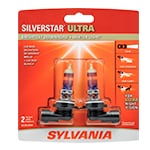
Tools & Supplies for the Job

How to Replace 2004-2008 Ford F-150 Headlight Bulbs: Step-by-Step

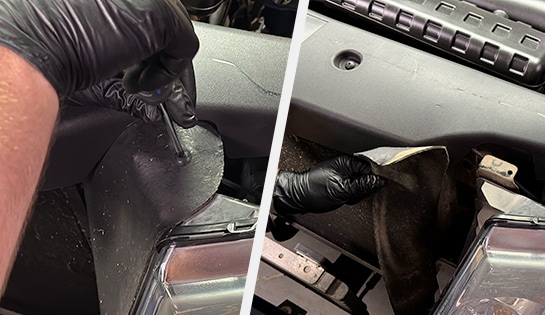
Auto parts professional removing bolts from a Ford F-150 headlight assembly

Step 1: Access the Headlight Assembly
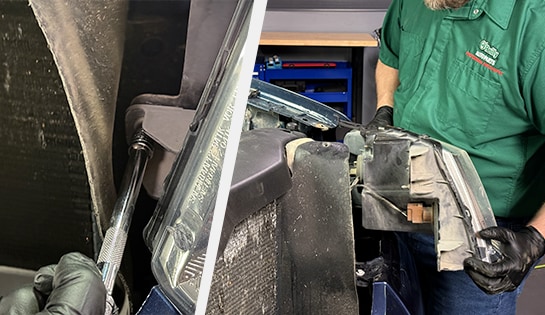
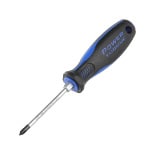
Start by parking on a level surface, turning off your vehicle, and opening the hood. After putting on your gloves and eye protection, use a Phillips-head screwdriver to remove the plastic push clip on the inner edge of the headlight assembly. Pull the protective cover back to reveal the assembly bolts.
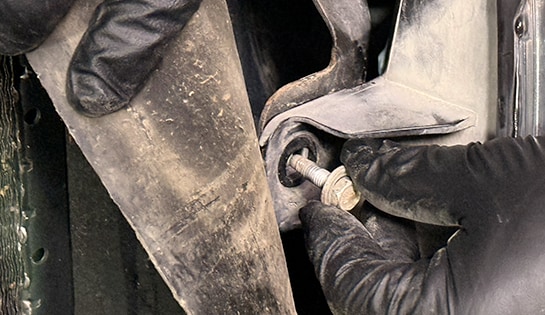
Auto parts professional removing a Ford F-150 headlight assembly

Step 2: Remove the Headlight Assembly Bolts
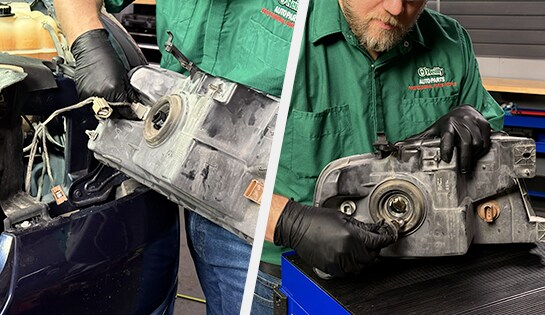
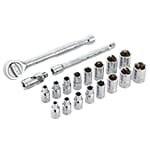
Using a ratchet and 10mm socket with an extension, remove the three bolts securing the headlight assembly to the truck. Lift up on the bottom of the assembly and the top tab to disengage it from the truck body.
Auto parts professional removing an old headlight bulb from a Ford F-150

Step 3: Disconnect the Wiring Harnesses
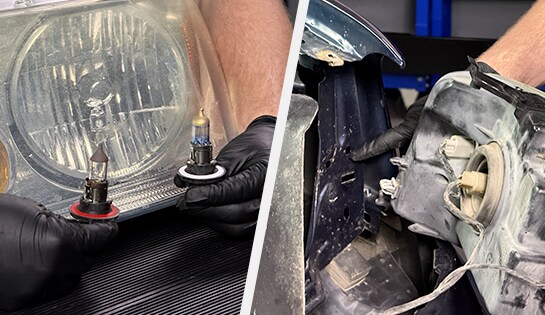
Locate the wiring harnesses on the back of the assembly. Push the tabs to unplug the harnesses and set the assembly aside. Then, turn the old headlight bulb counterclockwise to remove it from the housing.
Auto parts professional installing a new headlight bulb on a Ford F-150

Step 4: Install the New Headlight Bulb

Insert the new H13/9008 headlight bulb into the back of the housing and turn it clockwise to secure it. Plug the wiring harnesses back in until they snap into place.


Do It Right: Never touch the glass of a new headlight bulb with your bare fingers. Oils or grease on your skin can create hot spots that cause the bulb to burn out prematurely.

Auto parts professional reinstalling a headlight assembly on a Ford F-150

Step 5: Reinstall the Headlight Assembly
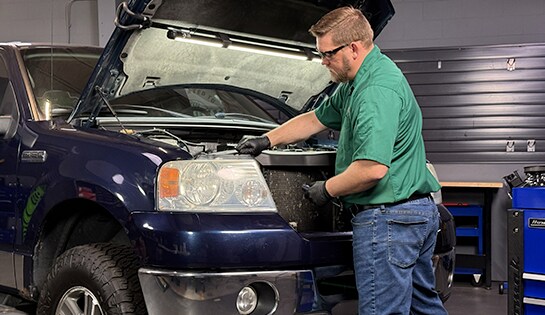
Align the pin on the back of the headlight assembly with the hole in the truck body and push it in until it snaps into place. Reinstall the three 10mm bolts by hand and tighten them with your socket, and secure the inside cover with the push clip.
Auto parts professional installing a new headlight bulb on a Ford F-150

Step 6: Repeat on the Other Side

Headlights should always be changed in pairs, so repeat these steps for the headlight bulb on the other side of your truck. Once you’ve finished both sides, turn on your headlights to ensure both new bulbs are working correctly. Then, close the hood.

Free Headlight Bulb Installation at O’Reilly Auto Parts

If you aren’t comfortable swapping out your headlight bulbs, or if you just want to make sure the job is done right, stop by your local O’Reilly Auto Parts. If you purchase your new headlight bulbs at one of our stores or online, we will be happy to install them for free.

Frequently Asked Questions: Ford F-150 Headlight Bulbs

What size headlight bulb does a 2004-2008 Ford F-150 use?

Most 2004-2008 Ford F-150 models use H13 (9008) headlight bulbs for both high and low beams. However, it is always a good idea to double-check your owners manual or use the vehicle selector at OReillyAuto.com to ensure you have the correct fit.

Why should I replace headlight bulbs in pairs?

Since headlight bulbs are used for the same amount of time, they typically wear out at a similar rate. Replacing them as a pair ensures a consistent beam pattern and prevents the second bulb from burning out shortly after the first one is installed.

Can a foggy headlight lens reduce visibility?

Yes. Even with brand-new bulbs, a foggy or oxidized headlight lens can block a significant amount of light. If your headlights are foggy, a headlight restoration kit can clear them up to maximize your visibility.

Product Recommendations

Product Comparison Table
Item Recommended Product Purpose
Headlight Bulbs
Sylvania H13/9008 SilverStar Ultra Halogen Bulb Provides whiter, brighter light for better visibility
Screwdriver
Phillips-Head Screwdriver Used to remove the push clip on the assembly cover
10mm Socket
Ratchet and 10mm Socket with Extension Used to remove the bolts securing the headlight assembly
Safety Gear
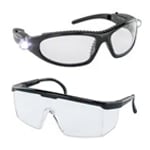
Nitrile Gloves & Eye Protection Keeps your hands and bulbs clean and protects your eyes from debris

Additional Resources

The automotive repair work depicted in this series is performed under the direction of the manufacturer of the product featured. Prior to undertaking any of the demonstrated repairs on your vehicle, we suggest you consult with a certified mechanic or another professional who can adequately advise you of the proper repair or remedy required. O’Reilly Automotive Stores, Inc. and its affiliates (“O’Reilly”) disclaims any responsibility for injury or damage resulting from a viewer’s attempt to recreate the repairs shown in this series.